
Chowmainsoft adds native Google TV integration to Nice ELAN
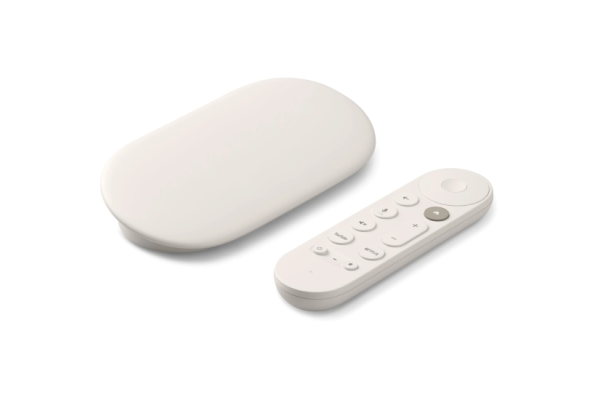
Chowmainsoft has released a Google TV driver for Nice (ELAN), providing bi-directional IP control and real-time feedback for compatible media players, streaming devices and set-top boxes.
The driver uses the same communication method as the official Google TV app, allowing Nice (ELAN) systems to connect directly to Google TV devices without third-party applications, middleware or additional hardware.
ADVERTISEMENT
Once paired, the driver provides feedback on power and playback states, including playing, paused and stopped, as well as the title of the content being viewed. This allows the system to respond to playback regardless of whether it was started through Nice (ELAN), the Google TV remote, the Google TV app or casting.
Events covering power, playback state, app changes and button presses can be incorporated into Nice (ELAN) event maps. For example, lighting can be dimmed when a movie starts and raised when playback stops.
The driver supports direct launching of popular streaming services, including Netflix, Disney+, YouTube, Prime Video, Stan and Binge. Installers can also use app package names or supported deep links to open other applications or specific content.
A dedicated Nice (ELAN) interface is included, featuring a full remote control, a now playing page with artwork, favourite and recently used apps, and a list of all installed applications. Additional controls include Google Assistant, profiles, inputs, sleep timers and other device functions. Google TV devices can be paired through the interface without using Configurator.
The driver supports a range of devices running Google TV OS, including Google TV Streamer, Chromecast with Google TV, NVIDIA Shield, DIRECTV STREAM, Telus TV+ and EVO Force 1.
Additional features include 12 favourite app buttons, six recent app buttons, channel tuning through Nice (ELAN) TV channel favourites, volume and mute feedback and casting controls. Users can also send URLs to the TV, such as camera snapshots or chimes.
With Android Debug Bridge (ADB) enabled, the driver can provide further functionality, including app-specific now playing information, keyboard input and Google TV search, profile switching, live channel listings and launching content by title through supported applications. ADB can also operate the driver independently, providing power, current app and volume feedback.
The driver includes Wake on LAN support for powering on devices in deep standby, while its IP self-healing feature can rediscover a Google TV device if its network address changes, using its pairing certificate without requiring the installer to pair it again.
Installers can also configure power behaviour, programmable buttons, protocols, apps and channels through dedicated settings pages, while event map support extends to connection status, display state, cast sessions, channel changes, sleep timer events and other system functions.
-
ADVERTISEMENT
-
ADVERTISEMENT
-
ADVERTISEMENT
-
ADVERTISEMENT